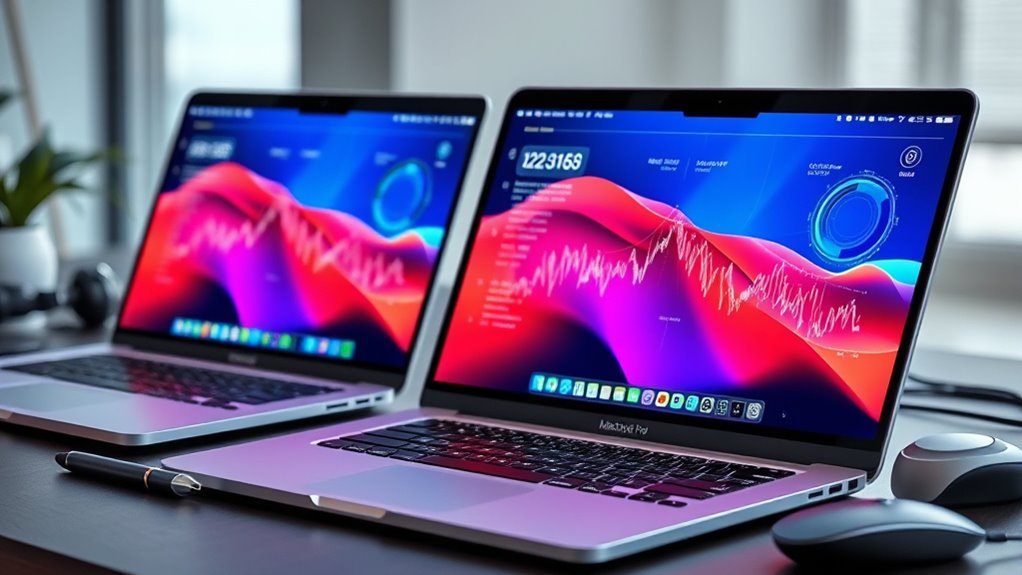

Choosing a MacBook Pro for data science and AI means balancing compute capability, memory, storage, and the software your workflow supports. My leading pick is the 14-inch 2021 M1 Pro for its 10-core CPU, 16-core GPU, 1TB SSD, and more capable display; the similar 14-inch M1 Pro with AppleCare+ is a strong alternative when extended coverage matters. The renewed 13-inch Intel models cost you less in capability, but their dual-core processors and integrated graphics put them in a different class.

Get your wardrobe favorites delivered free with Prime
- Fast, free delivery on millions of items
- Prime Video, Amazon Music and more included
- Member-only deals all year
These choices are best understood as a tiered shortlist, not four equal machines. The M1 Pro models are better suited to sustained development, local data preparation, and supported GPU workloads, while the older Intel laptops are light-duty options for notebooks, remote servers, and basic coding. I also weigh the risks of renewed condition, software compatibility, and the fact that 16GB of unified memory is not upgradeable. For large model training or datasets that exceed laptop memory, a cloud or workstation GPU may make more sense than any of these options.
Key Takeaways
- Best overall: The 2021 14-inch M1 Pro combines a 10-core CPU, 16-core GPU, 16GB unified memory, and 1TB SSD for the strongest balanced local-development setup in this group.
- Best with added coverage: The other 14-inch M1 Pro has the same core configuration and AppleCare+, but accidental-damage service can still involve fees.
- Best renewed Intel fallback: The 2017 model is lighter and has a 2560 × 1600 Retina screen, but its dual-core processor and Intel graphics are limiting for AI work.
- Check the memory listing carefully: The Touch Bar model’s title says 16GB, while its item details also list 8GB; I would confirm the actual configuration before buying.
- Know the workload boundary: These laptops can support coding, data exploration, and selected local inference, but intensive model training may call for cloud compute or a dedicated GPU system.
| Apple MacBook Pro 14-inch (2021, M1 Pro, 16GB RAM, 1TB SSD, Space Gray) |  | Best Overall for Local Data Work | Model year: 2021 | Display: 14-inch Liquid Retina XDR | Processor: Apple M1 Pro, 10-core CPU | VIEW ON AMAZON | See Our Full Breakdown |
| Apple MacBook Pro 14-inch with M1 Pro, 10-core CPU, 16-core GPU, 16GB RAM, and 1TB SSD, Space Gray, with AppleCare+ |  | Best for Buyers Who Want Added Coverage | Display: 14 inches | Processor: Apple M1 Pro | CPU: 10-core | VIEW ON AMAZON | See Our Full Breakdown |
| Apple MacBook Pro 13-inch (2017) with Retina Display, Intel Core i5 2.3 GHz, 16 GB RAM, 256 GB SSD, Silver (Renewed) |  | Best Lightweight Intel Pick for Basic Coursework | Model year: 2017 | Display: 13.3-inch Retina LED, 2560 × 1600 | Processor: Dual-core Intel Core i5, 2.3 GHz | VIEW ON AMAZON | See Our Full Breakdown |
| Apple MacBook Pro 13.3-inch with Touch Bar, Intel Core i5, 16GB RAM, 256GB SSD (Renewed), Space Gray |  | Best Renewed Intel Option for Port Variety | Display: 13.3-inch Retina LED | Processor: 3.1GHz dual-core Intel Core i5; Turbo Boost up to 3.5GHz | Memory: Title and description state 16GB; item details also state 8GB | VIEW ON AMAZON | See Our Full Breakdown |
| macbook pro for data science and ai | Display | Processor | Memory | Storage |
|---|---|---|---|---|
| Apple MacBook Pro 14-inch | 14-inch Liquid Retina XDR | Apple M1 Pro, 10-core CPU | 16GB unified memory | 1TB SSD |
| Apple MacBook Pro 14-inch with | 14 inches | Apple M1 Pro | 16GB RAM | 1TB SSD |
| Apple MacBook Pro 13-inch | 13.3-inch Retina LED, 2560 × 1600 | Dual-core Intel Core i5, 2.3 GHz | 16GB DDR3 SDRAM | 256GB SSD |
| Apple MacBook Pro 13.3-inch wi | 13.3-inch Retina LED | 3.1GHz dual-core Intel Core i5; Turbo Boost up to 3.5GHz | Title and description state 16GB; item details also state 8GB | 256GB SSD |
More Details on Our Top Picks
Apple MacBook Pro 14-inch (2021, M1 Pro, 16GB RAM, 1TB SSD, Space Gray)
I place this 14-inch 2021 MacBook Pro first because it offers the most compelling blend of compute, memory, storage, and screen quality in this group. Its M1 Pro chip pairs a 10-core CPU with a 16-core GPU, a substantial step above the dual-core Intel processors and Iris Plus integrated graphics in the renewed 13-inch models. That difference matters when running multiple notebooks, transforming datasets, compiling code, or using software that can make use of Apple’s GPU framework.
The 1TB SSD gives me much more room for datasets, environments, and project files than the 256GB drives in the Intel picks. Its 16GB of unified memory is useful for normal development multitasking, but it remains a fixed capacity; larger dataframes, containers, and local language models can use it quickly. I would not treat this configuration as a workstation for large-scale training. The Liquid Retina XDR display makes long sessions of code, charts, and documentation easier to organize, while the listed battery life suits mobile work better than the older Intel choices.
Compared with the other 14-inch M1 Pro, the core computing configuration is effectively aligned, so my ranking is not based on a dramatic processor advantage. This model’s appeal is its straightforward package of stronger local compute and 1TB storage. Its main limitation is that the listing provides less detail about included protection than the AppleCare+ alternative. I would choose this one for capability and use the other M1 Pro listing if bundled coverage matters more. Anyone relying on CUDA-specific libraries should check compatibility before buying, since an Apple GPU is not an Nvidia GPU.
Pros:- 10-core M1 Pro CPU and 16-core GPU outclass the Intel options here
- 1TB SSD offers far more project and dataset space than the 256GB Intel models
- Liquid Retina XDR display is well suited to code, charts, and side-by-side windows
- 1080p camera and stated battery life support mobile work and video meetings
Cons:- 16GB unified memory is fixed and may constrain large datasets or local models
- Apple GPU support does not replace Nvidia CUDA compatibility
- The 2021 generation is not the newest hardware available in 2027
Best for: Data science learners and practitioners who want a capable portable Mac for notebooks, data preparation, development, and supported local GPU tasks.
Not ideal for: Buyers training large models locally, requiring Nvidia CUDA, or needing more than 16GB of memory for large datasets and parallel workloads.
- Model year:2021
- Display:14-inch Liquid Retina XDR
- Processor:Apple M1 Pro, 10-core CPU
- Graphics:16-core GPU
- Memory:16GB unified memory
- Storage:1TB SSD
- Battery:Up to 17 hours
- Camera and audio:1080p FaceTime HD camera; six-speaker sound system
Our verdict“I recommend this 14-inch M1 Pro as the best-balanced choice here for data science development that benefits from strong CPU and GPU capability without requiring a desktop-class training system.”
Apple MacBook Pro 14-inch with M1 Pro, 10-core CPU, 16-core GPU, 16GB RAM, and 1TB SSD, Space Gray, with AppleCare+
This 14-inch M1 Pro is the closest match to my top pick: it lists the same 10-core CPU, 16-core GPU, 16GB RAM, and 1TB SSD. For data science, that means it belongs in the same practical performance tier as the 2021 model, rather than alongside the older dual-core Intel machines. It should suit coding, data cleaning, notebook work, and supported GPU-accelerated tasks far better than either 13-inch renewed option.
The distinguishing feature is AppleCare+ coverage for three years from purchase, including up to two accidental-damage incidents subject to service fees and applicable tax. That can be appealing for a laptop that travels between campus, office, and home, but it is not the same as damage being handled without cost. I would read the service terms and confirm what applies to the specific purchase before treating the plan as a major advantage.
Compared with the first-ranked 14-inch M1 Pro, the listed core specs do not establish a meaningful compute advantage. The choice is primarily about the coverage bundle and the details of each offer, not a different class of AI performance. Its 16GB memory ceiling remains the same tradeoff: it is workable for many development tasks but can limit larger local workflows. As with the other M1 Pro, this is not the pick for CUDA-dependent software or extensive model training that needs a dedicated Nvidia GPU. Buyers who do not value the coverage should favor whichever M1 Pro listing has the clearest configuration and condition details.
Pros:- M1 Pro 10-core CPU and 16-core GPU suit demanding development better than the Intel models
- 1TB SSD leaves more working room for datasets and software environments
- AppleCare+ is listed with three years of coverage
- Up to two accidental-damage incidents are included, subject to service fees and tax
Cons:- Accidental-damage claims still have service fees and applicable tax
- 16GB RAM is not a high-memory configuration for large datasets or models
- Its listed core specs match the other 14-inch M1 Pro, so coverage is the main differentiator
Best for: Portable data science users who want M1 Pro performance and value a listed three-year AppleCare+ plan for accidental-damage coverage.
Not ideal for: Buyers who need Nvidia CUDA, expandable memory, large-scale local training, or who would not benefit from the coverage terms.
- Display:14 inches
- Processor:Apple M1 Pro
- CPU:10-core
- GPU:16-core
- Memory:16GB RAM
- Storage:1TB SSD
- Coverage:AppleCare+ for three years from purchase
- Accidental damage:Up to two incidents, subject to service fees and applicable tax
Our verdict“I would choose this M1 Pro over the other 14-inch option when its AppleCare+ coverage fits my needs, not because it promises more data science performance.”
Apple MacBook Pro 13-inch (2017) with Retina Display, Intel Core i5 2.3 GHz, 16 GB RAM, 256 GB SSD, Silver (Renewed)
This renewed 2017 13-inch MacBook Pro earns a place only for buyers whose data science work is light and whose software can run on its older Intel platform. The 16GB RAM is more useful for multitasking than the Touch Bar listing with disputed memory details, and the 2560 × 1600 Retina display remains a clear workspace for notebooks and documentation. At three pounds, it is also the lightest specified option in this roundup.
The central compromise is the dual-core Intel Core i5. It falls far behind the M1 Pro’s 10-core CPU and 16-core GPU for parallel computation, larger transformations, and GPU-aware workflows. The integrated Iris Plus Graphics 640 is not a substitute for a dedicated machine-learning GPU. I would see this as a laptop for learning Python or R, reviewing smaller datasets, and connecting to a remote server—not for training meaningful models locally.
Compared with the other renewed 13-inch MacBook Pro, this listing has a more clearly stated 16GB memory configuration and a higher-resolution display, but only two Thunderbolt 3 ports rather than four. Adapter needs may complicate a desk setup with external storage or peripherals. The 256GB SSD also leaves little room for large data collections, and the listing identifies macOS Mojave, an old operating-system version that warrants checking against current app requirements. Renewed condition adds uncertainty about battery health and unit condition, so I would confirm those details before purchase.
Pros:- 16GB RAM is specified clearly for browser, editor, and notebook multitasking
- 2560 × 1600 Retina display provides a sharp coding workspace
- Three-pound weight makes it easy to carry
- SSD provides quicker local access than a traditional hard drive
Cons:- Dual-core CPU and integrated graphics are weak for demanding local data science
- 256GB SSD can fill quickly with environments and datasets
- Two Thunderbolt 3 ports may require adapters, and renewed battery condition can vary
Best for: Students learning programming and statistics who need a lightweight Mac for small notebooks, browser-based work, and remote computing.
Not ideal for: People running large datasets, modern local AI models, GPU-heavy workloads, or software that requires a recent macOS version.
- Model year:2017
- Display:13.3-inch Retina LED, 2560 × 1600
- Processor:Dual-core Intel Core i5, 2.3 GHz
- Memory:16GB DDR3 SDRAM
- Storage:256GB SSD
- Graphics:Integrated Intel Iris Plus Graphics 640
- Ports:Two Thunderbolt 3 (USB-C)
- Operating system:macOS 10.14 Mojave listed
- Weight and condition:3 pounds; renewed
Our verdict“I would buy this renewed 2017 model only for basic coding and remote-server work, since its portability and RAM cannot make up for its old dual-core compute ceiling.”
Apple MacBook Pro 13.3-inch with Touch Bar, Intel Core i5, 16GB RAM, 256GB SSD (Renewed), Space Gray
This renewed Touch Bar MacBook Pro is a narrow-fit choice for someone who wants an older Intel Mac and values four Thunderbolt 3 ports. That is two more than the 2017 13-inch model, which can make a multi-display or peripheral setup easier, depending on the accessories and adapters involved. It also lists a 3.1GHz dual-core Core i5 with Turbo Boost up to 3.5GHz, a Retina display, and Touch ID through the Touch Bar.
For data science, those conveniences do not overcome its age or basic compute limits. The dual-core processor and Intel Iris Plus Graphics 640 place it well below either M1 Pro in CPU and GPU capability. I would reserve it for introductory programming, light statistical work, and remote access to a more powerful server. Its 256GB SSD is modest for datasets, and the listing identifies macOS 10.12 Sierra, so checking application and security support is especially important.
The biggest buying risk is the memory specification conflict: the product title and description say 16GB, while the item details also say 8GB. That ambiguity matters more for notebooks and virtual environments than the Touch Bar does. Compared with the 2017 Intel pick, this model offers twice the Thunderbolt 3 ports but has less dependable configuration information; compared with the M1 Pro options, it is far less suited to local AI. The supplier-backed renewed listing includes a minimum 90-day warranty, but packaging and accessories may be generic. I would only consider it after getting written confirmation of the installed memory and operating-system configuration.
Pros:- Four Thunderbolt 3 ports provide more connection options than the 2017 model
- Touch ID is integrated with the Touch Bar
- Supplier listing includes a minimum 90-day warranty
- SSD storage and Retina display suit ordinary lightweight computing
Cons:- Memory details conflict between 16GB and 8GB
- Dual-core CPU and integrated graphics limit data science and AI workloads
- Renewed unit may arrive with generic packaging or accessories
- Listed macOS Sierra may not meet current software requirements
Best for: A buyer who specifically wants a renewed Intel Mac with four Thunderbolt 3 ports for basic coding, external devices, and remote compute.
Not ideal for: Anyone needing reliable 16GB capacity, current software support, local AI performance, or a laptop for intensive data processing.
- Display:13.3-inch Retina LED
- Processor:3.1GHz dual-core Intel Core i5; Turbo Boost up to 3.5GHz
- Memory:Title and description state 16GB; item details also state 8GB
- Storage:256GB SSD
- Graphics:Intel Iris Plus Graphics 640
- Ports:Four Thunderbolt 3 ports
- Features:Touch Bar with Touch ID; 720p FaceTime HD camera
- Operating system:macOS 10.12 Sierra listed
- Condition and warranty:Renewed; minimum 90-day supplier-backed warranty
Our verdict“I would place this below the 2017 Intel option unless four ports are a priority and the seller confirms the actual RAM configuration before purchase.”

How We Picked
I ranked these MacBook Pros by how well their stated hardware fits data science and AI workflows, rather than by age, appearance, or accessory bundles. I gave the most weight to processor and graphics capability, then considered memory capacity, SSD space, screen utility for coding, and the practical costs of buying a renewed machine. A laptop that can handle notebooks and development environments comfortably is more useful for this audience than one whose attractive display hides an entry-level compute ceiling.
The M1 Pro models rank first because their 10-core CPU and 16-core GPU provide a marked step up from the dual-core Intel chips and integrated Intel graphics in the two 13-inch options. Both M1 Pro configurations have 16GB memory and a 1TB SSD, making them better suited to multitasking and local project files. I give the 2021 model the leading position because its listed configuration includes a Liquid Retina XDR display, 1080p camera, and long stated battery life without making the coverage plan a central part of the value proposition. The AppleCare+ version remains close behind, particularly for buyers who want its added protection.
I treat the Intel machines as specialized, lower-capability picks, not equivalents to the M1 Pro. Their 16GB RAM claims need context: the Touch Bar listing has conflicting memory information, and the 2017 processor is dual-core. Neither is a strong choice for heavy local model training. I also account for older operating-system information, renewed condition, and limited SSD capacity. Product specifications can vary by listing and unit, so I recommend confirming configuration and support details before purchase.
| macbook pro for data science and ai | Ports | Operating system |
|---|---|---|
| Apple MacBook Pro 14-inch | — | — |
| Apple MacBook Pro 14-inch with | — | — |
| Apple MacBook Pro 13-inch | Two Thunderbolt 3 (USB-C) | macOS 10.14 Mojave listed |
| Apple MacBook Pro 13.3-inch wi | Four Thunderbolt 3 ports | macOS 10.12 Sierra listed |
Factors to Consider When Choosing Macbook Pro For Data Science And Ai
I would start by matching the laptop to the compute you plan to do locally. For many learners, the Mac is a development environment for notebooks, data preparation, and remote access to servers; for that use, the M1 Pro models offer a much stronger foundation than the renewed Intel machines. If the goal is substantial AI training, the right answer may be a laptop plus cloud or workstation compute rather than trying to keep the entire workload on a MacBook.Choose the compute level your work actually needs
The two M1 Pro 14-inch models are the clear picks for local work in this lineup. A 10-core CPU and 16-core GPU provide more headroom for parallel tasks, compilation, and supported acceleration than the dual-core Intel chips. That does not make them equivalents to Nvidia GPU systems: frameworks and libraries built around CUDA may not run the same way on Apple silicon. Before buying for a particular course, employer, or research project, check the required framework and its current Mac support.
The Intel models can still work for lighter jobs, such as learning syntax, plotting modest datasets, or connecting to a remote Linux machine. Their lower performance becomes more apparent when a task involves repeated computation or large data transformations. If the laptop is mainly a terminal, editor, and notebook client, that limitation may be acceptable; if it must train models locally, it is not.
Treat memory as a hard workload limit
Both M1 Pro listings provide 16GB of unified memory, which supports normal multitasking but cannot be upgraded later. Dataframes, browser tabs, containers, and model weights all compete for memory. I would keep datasets that exceed available memory on disk or in a remote environment and avoid assuming that a portable laptop can hold an entire AI workflow in RAM.
The renewed Touch Bar listing needs extra scrutiny because its title and description say 16GB while its item details also list 8GB. That is not a minor paperwork issue for this use case: memory capacity affects how many tools and data can stay active at once. Ask the seller to confirm the configuration in writing, and do not rank it as a 16GB machine until that is resolved.
Match SSD space to datasets and software
The 1TB SSDs in the M1 Pro options provide more breathing room for development environments, cached files, and working datasets than the 256GB drives in the older models. Even 1TB can fill quickly with local data, virtual machines, and model files, so external storage or remote datasets may remain part of the setup. A 256GB drive is workable for a compact coding environment but calls for deliberate file management.
Storage capacity does not compensate for a slow processor or limited memory. I would pick an M1 Pro with a sensible data-storage plan over an Intel laptop with the same nominal SSD size if local analysis is central to the job. For the older options, keeping large datasets on external or network storage helps, but it does not change their CPU or graphics ceiling.
Check software support and buying condition
The older listings include macOS Mojave and Sierra in their specifications. Those versions are dated, so verify whether current versions of your Python distribution, IDE, database tools, and course software support the unit and whether the laptop can run an operating system that meets your security requirements. An older Mac can be fine as a secondary computer, but compatibility should be settled before making it the main work machine.
Renewed condition can also vary by device, battery, and included accessories. Confirm the return policy, battery expectations, exact memory, and warranty terms. The Touch Bar listing specifies a minimum 90-day supplier-backed warranty and says packaging may be generic; the 2017 listing is also renewed. By comparison, the AppleCare+ M1 Pro listing spells out added coverage, but accidental-damage service has fees. I would compare the actual protections rather than assume that renewed inspection or a coverage plan removes every risk.
Think through the desk and travel setup
The 14-inch screen and XDR panel on the top-ranked model offer a more flexible workspace than the 13.3-inch Retina panels, particularly when a notebook, chart, and reference material need to share the screen. The 2017 laptop is notably light at three pounds, which may matter more to a student who carries it every day than the M1 Pro’s extra compute. The 13-inch Touch Bar model’s four ports are useful for peripherals, while the 2017 option has two and may need adapters.
Port count alone should not determine the purchase. If your normal workflow uses an external monitor, storage, and network adapter, price out the dock or hub you need and check the display connections it supports. If you spend most of the day connected to a remote compute cluster, portability and battery condition may deserve more weight than local GPU speed.
Frequently Asked Questions
Which MacBook Pro in this comparison is best for data science and AI?
I rank the 2021 14-inch MacBook Pro with M1 Pro first because it combines a 10-core CPU, 16-core GPU, 16GB unified memory, and 1TB SSD. It is the strongest all-around option in this specific group for coding, data preparation, notebooks, and supported local acceleration. It is not a replacement for an Nvidia workstation when a project depends on CUDA or requires extensive model training.
Is 16GB of RAM enough for data science?
16GB can be enough for learning and moderate development, including notebooks, smaller datasets, and several everyday applications. It can become restrictive when large dataframes, containers, browsers, and model files run together. Since the M1 Pro memory is unified and fixed, I would use remote compute or storage for heavier projects rather than expect this configuration to scale into a high-memory workstation.
Can I train AI models on these MacBook Pros?
You can experiment with some local machine-learning and inference tasks, especially on the M1 Pro models, when the software supports Apple silicon and its GPU tools. The two Intel laptops are much more suitable for coursework and remote access than serious local training. For large models, long training runs, or CUDA-required code, I would use a cloud GPU or a compatible dedicated workstation.
Should I buy one of the renewed Intel MacBook Pro models?
I would consider a renewed Intel model only for light coding, small datasets, and a budget-conscious setup that can rely on remote computing. The 2017 option states 16GB RAM but has a dual-core processor, integrated graphics, and a small 256GB SSD. The Touch Bar listing has a memory conflict and older listed operating system, so I would require confirmation of its actual configuration before buying.
Which M1 Pro listing should I choose?
The two 14-inch M1 Pro listings share the headline configuration of a 10-core CPU, 16-core GPU, 16GB memory, and 1TB SSD. I would choose the 2021 model when I want the straightforward hardware pick, and the AppleCare+ listing when its three-year coverage and accidental-damage terms suit my needs. Compare the condition, included coverage, and listing details, because the specs provided do not show a meaningful compute advantage for one over the other.
Conclusion
For the strongest general-purpose data science setup in this comparison, I recommend the 2021 14-inch M1 Pro. It gives me the best balance of CPU and GPU capability, a 1TB SSD, and a useful display, while remaining subject to the fixed 16GB memory ceiling. I would choose the other 14-inch M1 Pro instead if the listed AppleCare+ coverage is a priority and its service fees make sense for my situation.
For students learning Python or R who mostly connect to a server, the renewed 2017 13-inch MacBook Pro is the more defensible Intel choice, provided its older software support and battery condition meet their needs. I would select the Touch Bar model only if four ports matter and the seller confirms its RAM; otherwise, the conflicting memory details make it hard to recommend. If your main goal is training large AI models locally, I would skip all four and direct the compute budget toward an Nvidia-equipped workstation or cloud GPU access.